
4.24Rule gateway
Reference for the Rule Gateway: watch a KNX group address and write other KNX values when its value matches a condition.
The Rule Gateway watches KNX group addresses. When a telegram arrives whose value matches a condition, it immediately writes a value to another group address. Each rule can also expose the watched value for pages. This page lists every field of the Configure Rules dialog and how the gateway evaluates it.
#What it does
A rule has one watched group address and up to three condition slots, C1, C2 and C3. Each slot has a comparison and a KNX command. When a telegram on the watched group arrives, every enabled slot whose comparison is true runs its command at once. There are no delays and no timers. For sequences with pauses use Automation. For logic over several inputs, timers and counters use Logic Studio.
#Before you enable it
- The service is Disabled by default. Turn Enabled on and deploy the project (see Deploying to a gateway).
- The gateway reads and writes the bus through its KNX connection, so the KNX engine must be working.
#Settings
| Setting | What it does |
|---|---|
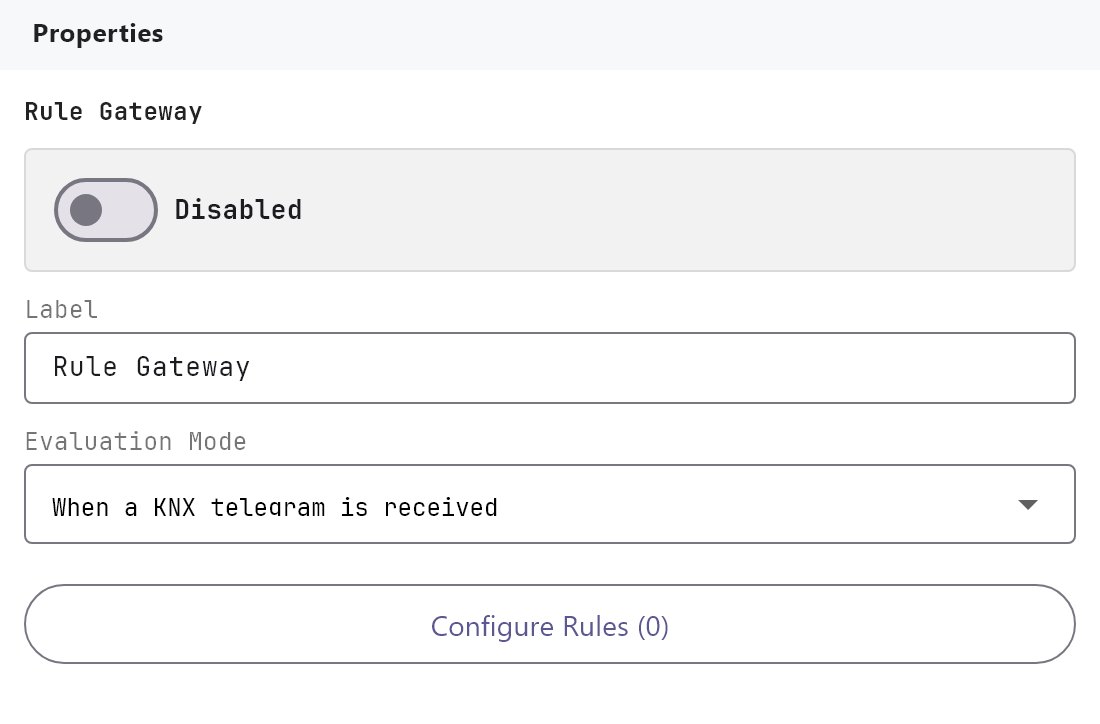
| Enabled | Turns the Rule Gateway on or off. Off by default. |
| Label | The name in the Server tree. Default Rule Gateway. |
| Evaluation Mode | When a KNX telegram is received (default) evaluates every incoming telegram on the watched group. Only when the value changes skips telegrams whose value equals the previous one. |
| Actions From KNX | The button Configure Rules (N) opens the Values Editor. |
#Values Editor
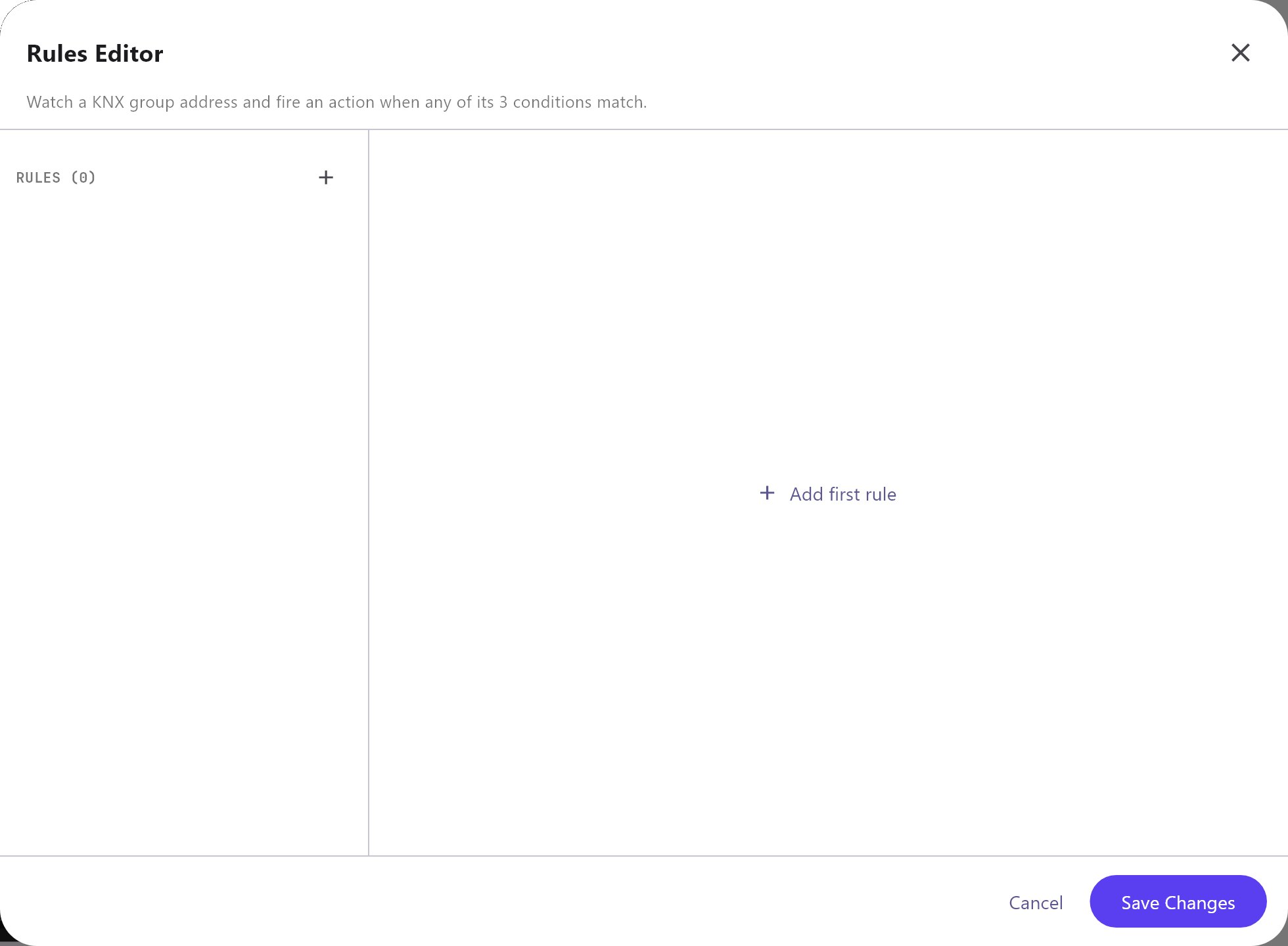
The list has Add, Clone, Remove, Up and Down. Import and Export in the header save and load the rules as rule-gateway-values.json; importing replaces the whole list. Cancel and Save Changes only close the dialog.
#Value Details
| Field | What it does |
|---|---|
| Name | The rule's name. New rules are KNX rule 1, KNX rule 2 and so on. |
| Reusable value ID | The identifier of the watched value for pages and Logic Studio. New rules get rule:knx_rule_N. Keep each ID unique. |
| KNX group | The group address to watch. |
| Data type | How the telegram is read: DPT 1.001, 5.001, 5.010, 7.001, 8.001, 9.001, 12.001, 13.001, 14.001 or 16.001. Default DPT 1.001. |
#Condition slots C1, C2 and C3
Each slot has these fields. C1 starts enabled and the other two disabled. The rest of the fields appear only while the slot is enabled.
| Field | What it does |
|---|---|
| Cn enabling | Enabled or Disabled. |
| Cn command | The command to run, chosen from the command library grouped by category. Default Write KNX Bit (DPT 1). |
| Cn condition | Send always (any value), Send if changed, Send if equal, Send if not equal, Send if greater, Send if greater or equal, Send if less, Send if less or equal or Send if contains. |
| Cn condition parameters | The value to compare with. Not used by Send always and Send if changed. |
| Cn parameter groupAddress, Cn parameter value | The parameters of a KNX write command: the target group and the value to write. |
Defaults for a new rule: C1 sends 1 always, C2 sends 1 if the value equals 1, C3 sends 2 if the value equals 2.
#Commands that run
The command library lists commands from many categories, but the Rule Gateway runs only these KNX write commands. The gateway writes with the data type shown.
| Command | Data type written |
|---|---|
| Write KNX Bit (DPT 1) | DPT 1.001 |
| Write KNX 4-bit Control (DPT 3) | DPT 3.007 |
| Write KNX Unsigned Byte (DPT 5) | DPT 5.001 |
| Write KNX Signed Byte (DPT 6) | DPT 6.010 |
| Write KNX 2-byte Unsigned (DPT 7) | DPT 7.001 |
| Write KNX 2-byte Signed (DPT 8) | DPT 8.001 |
| Write KNX 2-byte Float (DPT 9) | DPT 9.001 |
| Write KNX 4-byte Unsigned (DPT 12), Write KNX 3-byte Unsigned | DPT 12.001 |
| Write KNX 4-byte Signed (DPT 13) | DPT 13.001 |
| Write KNX 4-byte Float (DPT 14) | DPT 14.000 |
| Write KNX Text (DPT 16) | DPT 16.001 |
| Write KNX Scene Number (DPT 17) | DPT 17.001 |
Every other command can be chosen and saved, but the gateway skips it and logs that the command is not supported. A KNX write also needs a groupAddress parameter, or it is skipped.
#How it works on the gateway
- The gateway checks every incoming write or response telegram. It looks for rules whose KNX group matches the telegram's group, and decodes the value with the rule's Data type.
- With Only when the value changes, a rule is skipped when its value equals the last value seen on that group. The first telegram after the gateway starts always counts as a change.
- The enabled slots are checked in the order C1, C2, C3. Every slot whose condition is true runs, so one telegram can run all three.
- Numbers are compared as numbers. If either side is not a number, the two are compared as text with spaces trimmed. The greater and less comparisons are numeric.
Send if containslooks for the text inside the value. - The value that is written is the command's value parameter. Fill it in for every KNX write.
- A rule also keeps the last value it saw. Pages show it through the Reusable value ID, and Logic Studio reads it with a System Value block.
#Using the value on a page
An Analog Value or Energy Flow Line object with Protocol System Object lists each rule that has a KNX group under Rule Gateway.
#Example
A "leaving home" push button sends 1 on group 3/1/1. The gateway then switches off two lighting groups:
- Add a rule: Name
Leaving home, Reusable value IDrule:leaving_home, KNX group3/1/1, Data typeDPT 1.001. - C1: Enabled, command
Write KNX Bit (DPT 1), conditionSend if equal, condition parameters1, groupAddress3/2/1, value0. - C2: Enabled, command
Write KNX Bit (DPT 1), conditionSend if equal, condition parameters1, groupAddress3/2/2, value0. - C3: Disabled.
- Deploy. A
1on3/1/1writes 0 to3/2/1and to3/2/2. A0on3/1/1does nothing.
#Tips and common problems
- A rule never fires: the Rule Gateway is disabled, the KNX group is empty or different from the group on the bus, or the condition is not true for the received value. Use
Send alwaysto test. - A rule fires again and again: a rule that writes to the group it watches triggers itself, because the gateway sees its own writes as incoming telegrams. Write to a different group.
- A command is skipped: only the KNX write commands above run. Use Automation or Logic Studio for other actions.
- Choosing between Rule Gateway and Automation: use the Rule Gateway for "when the value is X, write Y". Use Automation when the answer needs several steps with pauses.