
4.19Network I/O gateway
Reference for the Network I/O Gateway: virtual inputs that read values from web services or from TCP and UDP messages, and network outputs that send commands, with every field of its dialogs.
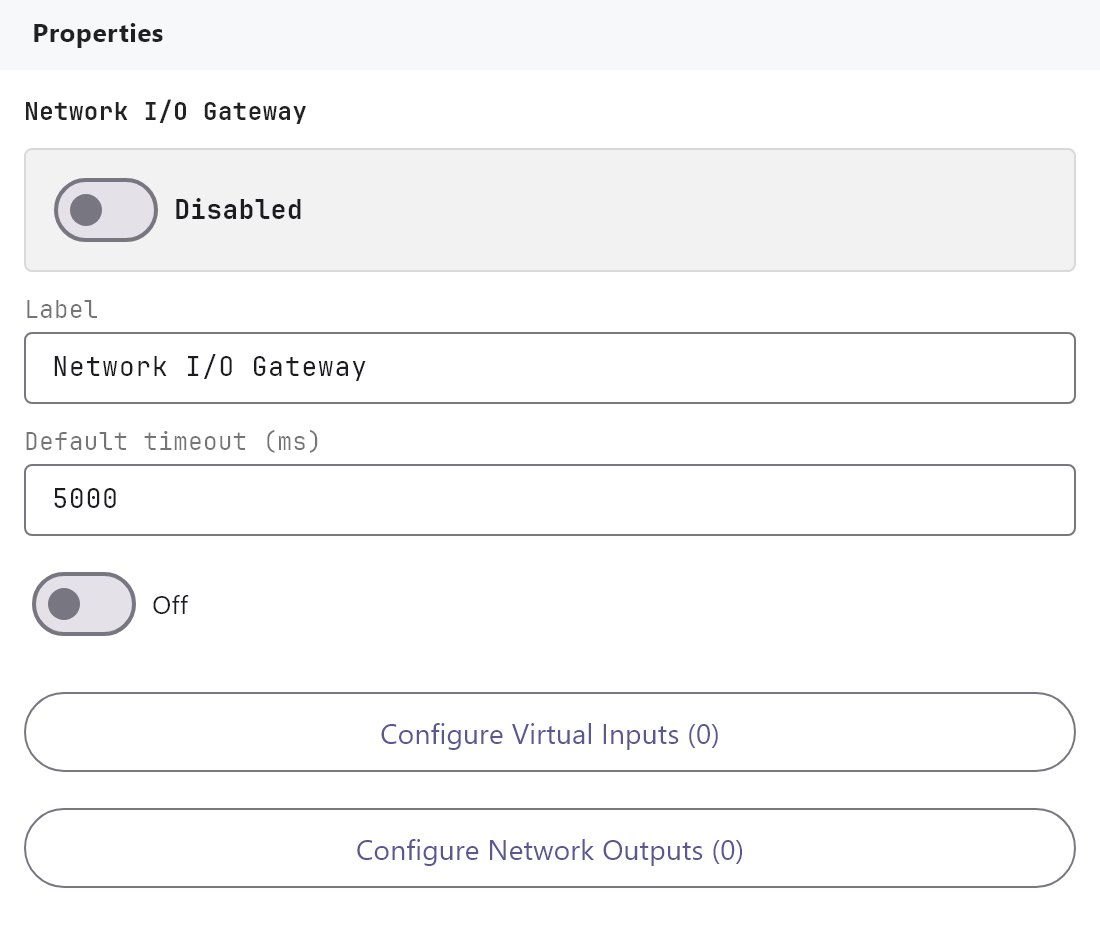
The Network I/O Gateway reads values from other devices and web services over the network (virtual inputs) and sends commands to them (network outputs). This page lists every field of its dialogs and what the gateway does with it.
#What it does
- Virtual inputs get a value from an HTTP address on a schedule, or from TCP or UDP messages that another device sends to the gateway. They pick one value out of the reply and make it available as a reusable value that pages and Logic Studio can use. Optionally the gateway also writes that value to a KNX group address.
- Network outputs send a command (HTTP, SOAP, TCP, UDP, UDP multicast or Wake-on-LAN) with a target and a payload. An output runs when you press an Action Button, when a Logic Studio block asks for it, when a KNX group is written, or on a repeat timer.
#Before you enable it
- The service is Disabled by default. Turn Enabled on and deploy the project (see Deploying to a gateway).
- The gateway must be able to reach the address you poll.
- A value shows on a page through its Reusable value ID, see "Using the value" below. Use KNX gateway and a group address are only needed when you also want the value on the KNX bus.
- A TCP or UDP listener opens a port on the gateway. Make sure nothing else on the gateway uses that port and that the sender can reach it.
#Settings
| Setting | What it does |
|---|---|
| Enabled | Turns the service on or off. Off by default. |
| Label | The name in the Server tree. Default Network I/O Gateway. |
| Default timeout | 100 to 120000 ms, default 5000. Used by the commands that have no output of their own: Send HTTP Request, Send TCP Command, Send UDP Command and Wake-on-LAN. Every input and output uses its own Timeout. |
| Run through KNX gateway | Off by default. Not used: use the switch on each input and output instead. |
| Configure Virtual Inputs (N) | Opens the Virtual Inputs Editor. |
| Add Output | Adds an output and opens the Network Output dialog for it. |
| Edit Outputs | Opens the Network Output dialog for the output selected below. |
Every output is listed under the buttons with its command type and a delete button. Click a name to select it, then use Edit Outputs. The delete button removes the output at once, without asking.
#Virtual Inputs Editor
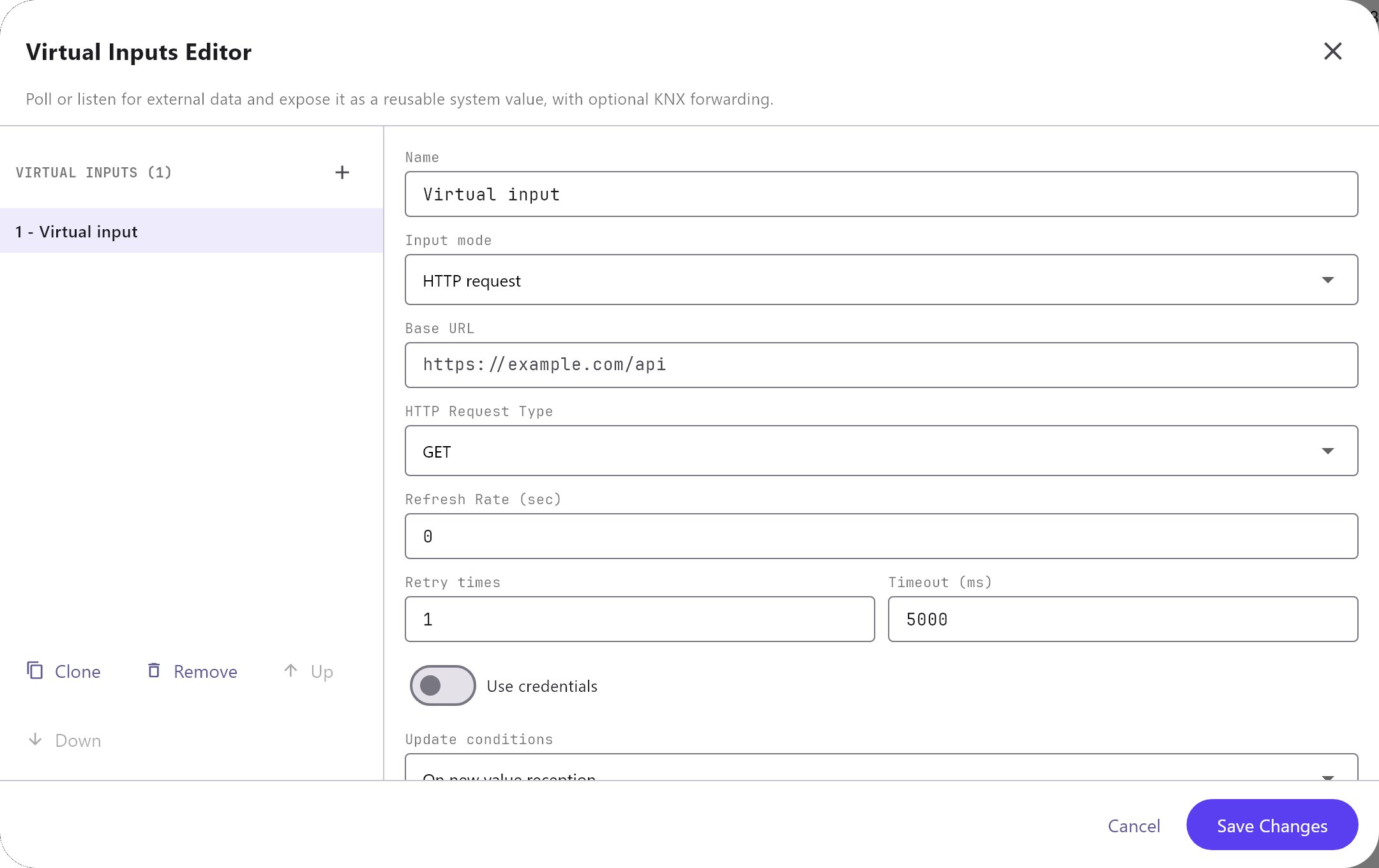
The list on the left has Add, Clone, Remove, Up and Down. Add creates an input with the defaults below. Cancel and Save Changes only close the dialog; edits are already in the project.
| Field | What it does |
|---|---|
| Virtual Input | The name. Default Virtual input. |
| Reusable value ID | The identifier other parts use for this value, for example network:prayer.dhuhr. Default network:virtual_input. Give each input its own ID. |
| Input mode | HTTP request (default), TCP listener or UDP listener. |
| Base URL | HTTP request only. The address to call, for example https://example.com/api/times. |
| HTTP Request Type | HTTP request only. GET (default), POST or PUT. The gateway sends no request body, only the parameters in the URL. |
| Refresh Rate | HTTP request only. Seconds between calls. 0 (default) means the gateway never polls this input by itself; a Refresh Network Virtual Input action still fetches it. |
| Listener protocol, Listener port, Packet separator | Listener modes only. TCP or UDP, port 1 to 65535 (default 9000), and the separator (default \n, a new line; \r and \t also work). Every piece of received text between two separators is one message and updates the value. A UDP datagram is one message. Empty messages are ignored. |
| Retry times | Default 1. How many more times the gateway tries an HTTP request after it failed. |
| Timeout | Milliseconds, default 5000. The gateway uses at least 1000 for HTTP requests. |
| Use credentials | Off by default. When on, Username and Password are sent as HTTP basic authentication. |
| Update conditions | On new value reception (default), On every reception or Manual refresh only. The last one stops the gateway from polling this input; use a Refresh Network Virtual Input action. |
| Use KNX gateway | Off by default. When on, the received value is written to a KNX group address. |
| KNX group address | The group address to write. |
| KNX data type | DPT 1 - Boolean, DPT 5 - 1 byte unsigned, DPT 7 - 2 byte unsigned, DPT 9 - 2 byte float, DPT 10 - Time or DPT 16 - String (default). |
| Custom Headers | One header per line, written Name: value. |
| Data Format Input | Opens the Data Format Editor. The line under the button shows the format and path. |
With On new value reception the gateway writes to KNX and informs the apps only when the value differs from the previous one. With On every reception it does so after every reply or message. The gateway also answers a KNX read request on that group address with the latest value.
#Data Format Editor
Choose how to find the value in the reply.
| Field | What it does |
|---|---|
| Request parameters | A table of Name and Value pairs added to the URL as query parameters. Add parameter adds a row. Rows with an empty name are ignored. |
| Select Response Format Type | JSON (default), String or XML. |
| Response Path | JSON and XML only. A dotted path such as data.timings.Dhuhr. For JSON, [0] selects a list item, for example items[0].value. For XML, each name is a nested tag. An empty JSON path uses the whole reply. |
| String parsing | String only. Process string as is (default), Get part using Regular Expression or Get part as Substring. |
| Regular expression | The first group in brackets is the value. If the expression has no group, the whole match is used. |
| Start, End | Substring only. Start is an Index or At string (the value begins after that text). End is an Index, At string (the value ends before that text) or a Length. A length of 0 means up to the end. |
| Value part | Full value (default), Hour or Minute. Hour and Minute split a time written HH:mm. |
| Cast the value to | String (default), Decimal number, Integer number or Boolean. Boolean accepts true, 1, on, yes and their opposites. |
| Data cleaning | The Trim switch removes spaces around the value. Off by default. |
| Raw input parser | A sample reply, filled in by the test. It is not used by the gateway. |
Test environment opens the Data Format Test dialog: paste a reply under Insert raw JSON/XML/Text received from external service, or use Local test, then Simulate. The result appears under Elaborated data from response. Local test sends the request from the computer running the Configurator, not from the gateway. A successful test also saves the result as the input's preview value.
#Network Output dialog
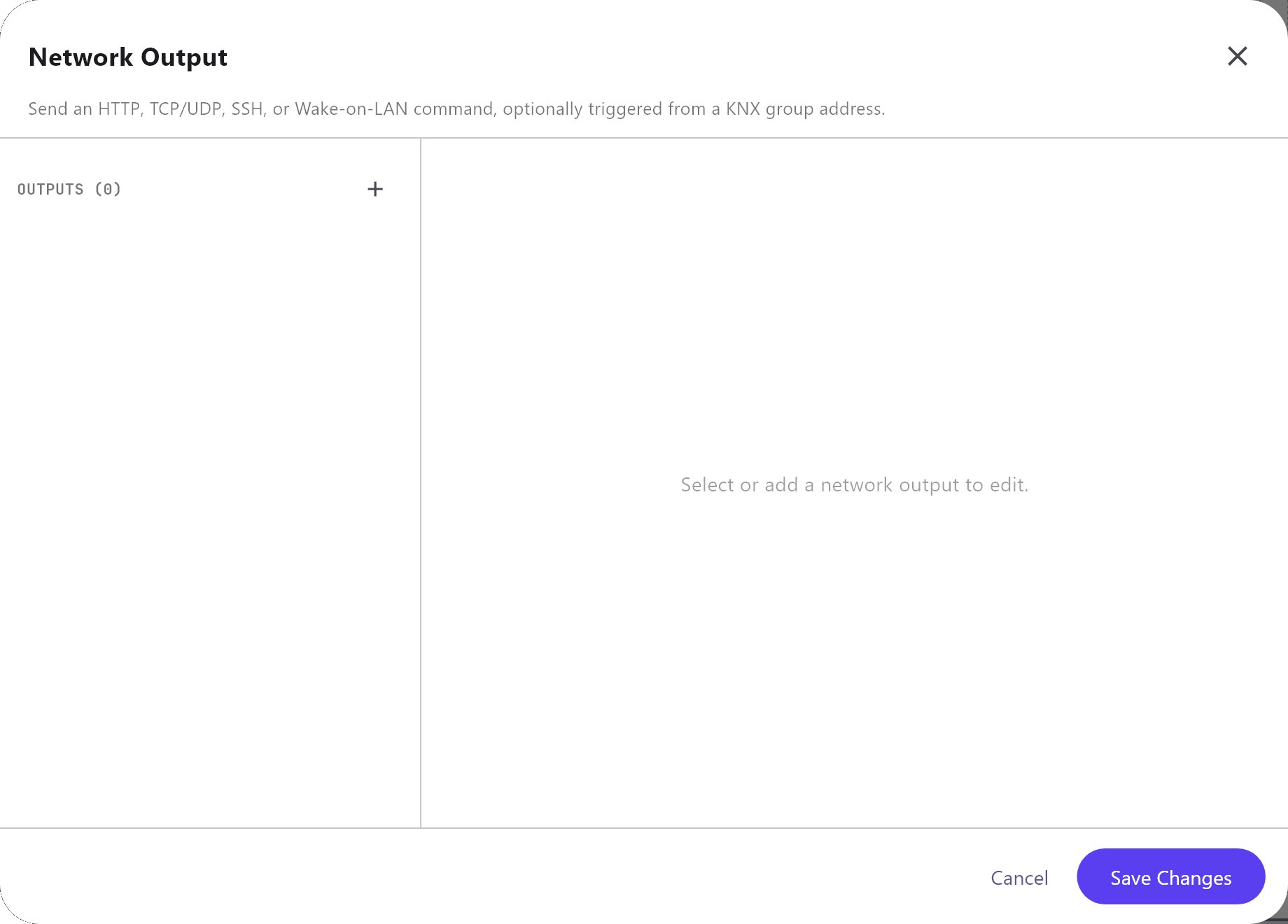
| Field | What it does |
|---|---|
| Name | Default Network command. |
| Command type | HTTP GET (default), HTTP POST, HTTP PUT, HTTP DELETE, SOAP request, TCP string, TCP hexadecimal, UDP string, UDP hexadecimal, UDP multicast, SSH command or Wake-on-LAN. SSH is not supported. |
| Target | A URL for HTTP and SOAP, host:port for TCP, UDP and UDP multicast (for multicast the group address and port, for example 239.255.0.1:5000), a MAC address for Wake-on-LAN. |
| Trigger group address | A KNX group that runs the output when it is written. Works when Use KNX gateway is on. |
| Use KNX gateway | Off by default. Turns the trigger group address on. |
| Credentials | Off by default. When on, Username and Password appear and are sent as HTTP basic authentication (HTTP and SOAP only). |
| Timeout | Milliseconds, default 5000. |
| Retries | Default 1. How many more times the gateway tries after a failure. |
| Refresh | Seconds, default 0 (off). The gateway runs the output again every this many seconds, with the last value it was given. |
| Payload | The body (HTTP POST, PUT, DELETE and SOAP), the text (TCP and UDP string) or the bytes (hexadecimal types, written like 01 0A FF). {value} is replaced by the value that ran the output. |
| Custom headers | One header per line, written Name: value (HTTP and SOAP only), for example SOAPAction: "urn:play". |
| Output formatter | Optional. Shapes the value before it goes into the payload: {value} in the formatter is the value, so {value}% turns 40 into 40%. Empty means the value as it is. |
How each command type sends:
| Command type | What the gateway sends |
|---|---|
| HTTP GET, POST, PUT, DELETE | An HTTP request to the Target. GET sends no body. A body that starts with { or [ is sent as application/json, any other as plain text, unless you set a Content-Type header. A reply with a status outside 200 to 299 counts as a failure. |
| SOAP request | An HTTP POST with Content-Type: text/xml; charset=utf-8 and the payload as the envelope. Add the SOAPAction header yourself. |
| TCP string, TCP hexadecimal | Opens a connection to host:port, sends the text (\n, \r and \t in the text are line breaks and tab) or the bytes, and closes. |
| UDP string, UDP hexadecimal, UDP multicast | One datagram to host:port. |
| Wake-on-LAN | The magic packet for the MAC address, broadcast to port 9. To use another broadcast address write AA:BB:CC:DD:EE:FF@192.168.1.255:9. |
#How it works on the gateway
- Once a second the gateway checks every enabled HTTP request input that has a Refresh Rate above 0 and is not set to Manual refresh only. When the interval has passed it calls the address and reads the value. A call that fails is tried again as many times as Retry times; a failure is logged at most once a minute.
- A TCP or UDP listener input is opened as soon as the project is deployed and the service is enabled. It is closed again when you remove the input, change its port or protocol, or turn the service off.
- Every value that arrives, from a call or from a message, is made available as the Reusable value ID, shown on pages that use it and, if Use KNX gateway is on, written to the group address. A value that cannot be read (path not found, text that is not a number) is logged and the last good value stays.
- Outputs run in these cases: an Action Button with Run Configured Network Output, an automation or Logic Studio Network Output block, a write on the Trigger group address, or the Refresh timer. The result of every run is written to the gateway log.
- The commands that need no output (Send HTTP Request, Send TCP Command, Send UDP Command, Wake-on-LAN) send straight from the gateway.
#Using the value
An Analog Value, State Action or Energy Flow Line object with Protocol System Object lists each virtual input under Network I/O. The object follows the input live. If the gateway has not received a value yet, it shows the preview value saved by the last test. In Logic Studio the System Value block reads the same value.
#Example
Show the outdoor temperature from a web service:
- Add a virtual input: Virtual Input
Outdoor temperature, Reusable value IDnetwork:outdoor_temp, Input modeHTTP request, Base URLhttps://example.com/api/weather, HTTP Request TypeGET, Refresh Rate600. - In the Data Format Editor, add the request parameter Name
city, ValueDubai. Set Select Response Format TypeJSON, Response Pathmain.temp, Cast the value toDecimal number. - Add an Analog Value object with Protocol System Object and pick Outdoor temperature under Network I/O.
- Optional: turn Use KNX gateway on, KNX group address
5/1/1, KNX data typeDPT 9 - 2 byte floatto also put the value on the KNX bus.
#Tips and common problems
- The value never updates: the Refresh Rate is 0, or the input is set to Manual refresh only, or the Enabled switch is off. For a listener input, check that the sender uses the same port and protocol and ends each message with the separator.
- The path is not found: run Local test and check the reply. Paths are case sensitive.
- A button that should call a device does nothing: open the gateway log. The gateway writes why an output failed (a refused connection, a timeout, an HTTP error status).
- A TCP device wants a line ending: end the payload with
\r\n(or\n). - A device answers only to a hexadecimal command: use the hexadecimal type and write the bytes as pairs of digits, for example
02 41 03. - Wake-on-LAN does not wake the PC: the PC and the gateway must be on the same network, and Wake-on-LAN must be on in the PC's BIOS and network card.