
4.8MQTT client
Connects the gateway to an MQTT broker and bridges topics to and from KNX group addresses and system values, with optional Home Assistant discovery.
The MQTT client lets the gateway talk to other systems over MQTT. You can map topics to KNX group addresses or to system values, and you can let Home Assistant find your lights, switches and fans automatically. You find it under Server > Interfaces > MQTT Client.
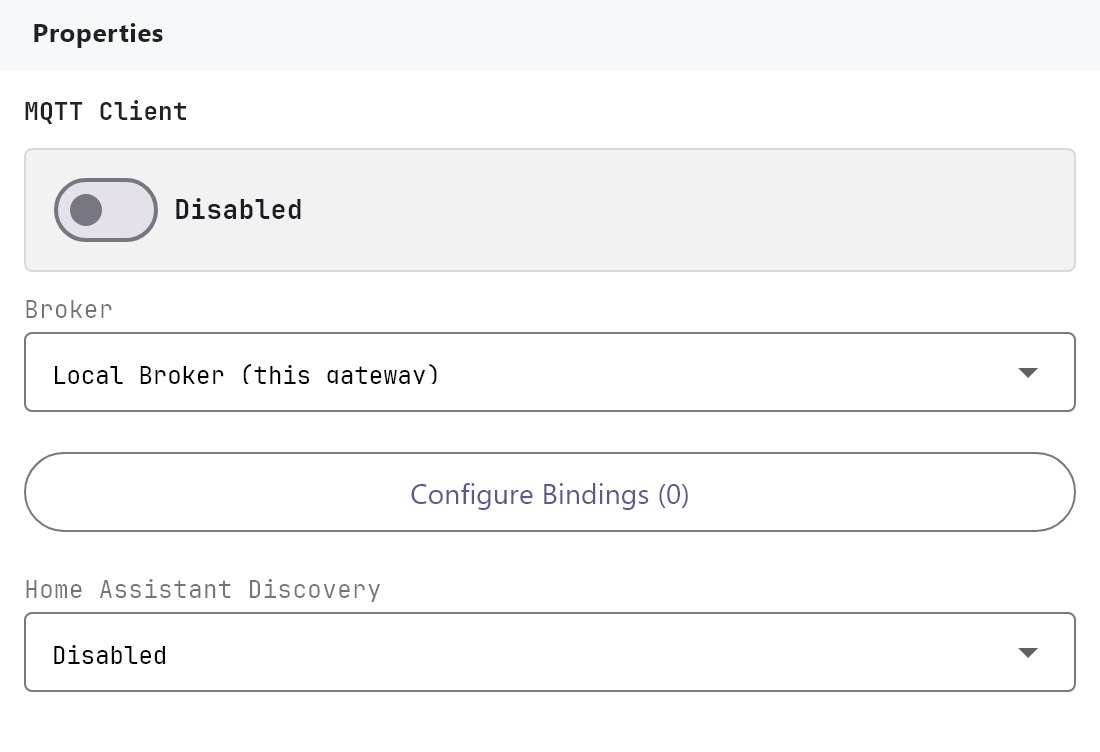
#What it does
- Connects to a broker: either the gateway's own MQTT broker or an external one such as Home Assistant's Mosquitto.
- Topic bindings forward a message that arrives on a topic to a KNX group address, and publish a KNX group address or system value to a topic whenever it changes.
- Home Assistant discovery publishes one Home Assistant entity for every switch, dimmer light, RGB lamp and ceiling fan that has a Voice Command Phrase.
#Before you enable it
- For the Local Broker choice, enable MQTT broker as well. The client does not start a broker itself.
- For an External Broker, you need its address and port, and a username and password if it requires them.
- Bindings that use KNX need the KNX engine running.
- Deploy the project after any change. The client reconnects when its settings change.
#Settings
| Setting | What it does |
|---|---|
| Enabled | Off by default. The client only connects when this is on and the project has been deployed. |
| Broker | Local Broker (this gateway) (default) connects to the embedded broker on the gateway, on port 1883. External Broker connects to the host below. |
| Host | External Broker only. The broker's IP address or name, for example 192.168.1.20 or homeassistant.local. If left empty, 127.0.0.1 is used. |
| IP Port | External Broker only. 1 to 65535, default 1883. |
| Use Credentials | External Broker only. Off by default. When on, the client sends the username and password. |
| Username / Password | Shown when Use Credentials is on. |
| Topic Bindings | Configure Bindings (n) opens the bindings dialog. n is the number of bindings. |
| Home Assistant Discovery | Off by default. When on, publishes Home Assistant discovery messages (see below). |
| Discovery Prefix | Shown when discovery is on. Default homeassistant. It must match the prefix set in Home Assistant's MQTT integration. |
#Topic Bindings dialog
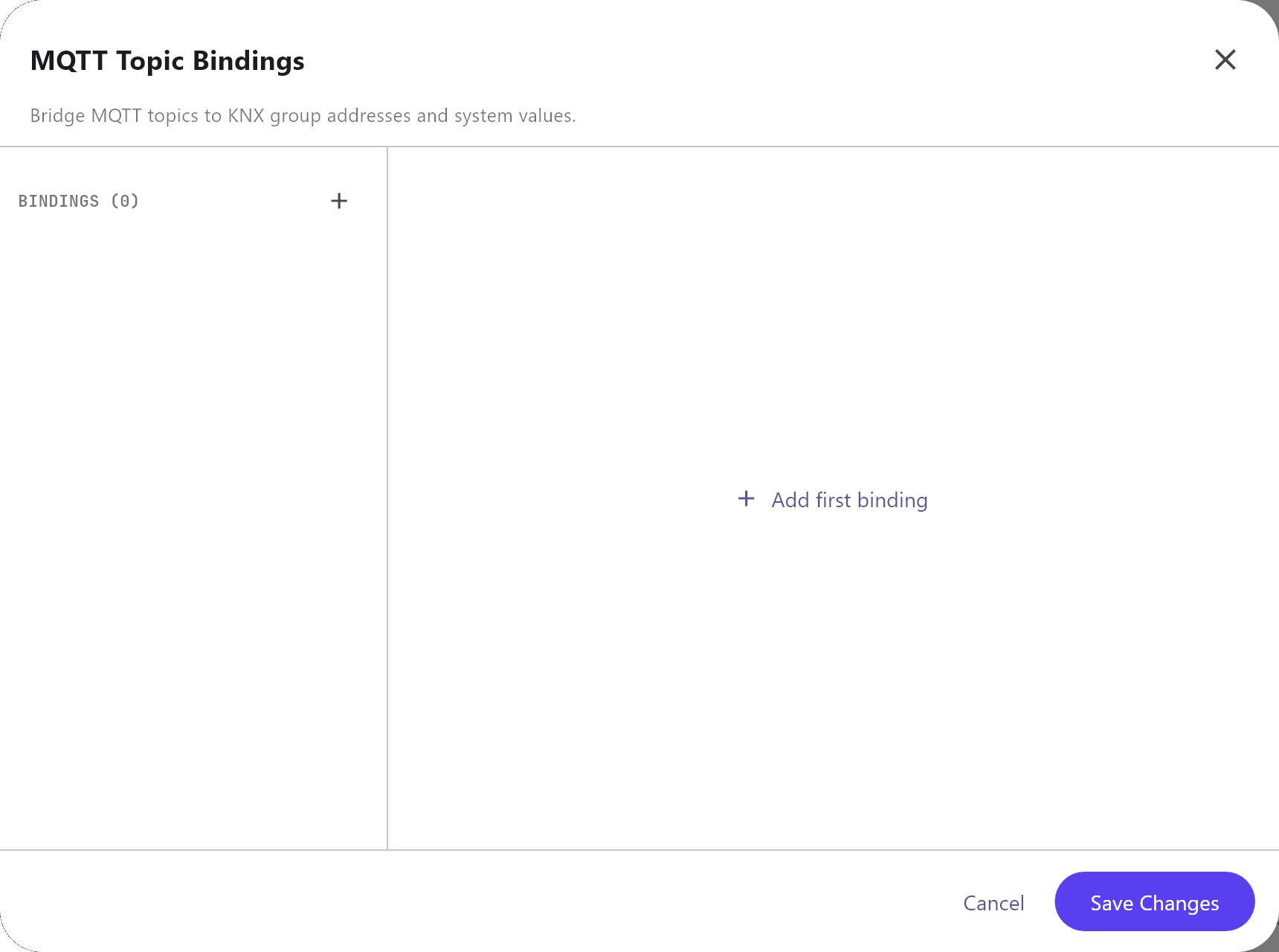
The list on the left shows each binding as number-topic. Add creates a binding with the topic veltnova/binding1 (then binding2 and so on). Clone copies the selected binding and adds -copy to its topic. Remove deletes the selected one. Changes apply as you type: Cancel and Save Changes both only close the dialog.
| Field | What it does |
|---|---|
| Topic | The MQTT topic. Subscribe bindings match the topic exactly. The wildcards + and # are not matched. |
| Direction | Subscribe (topic -> value) writes incoming messages to the target. Publish (value -> topic) sends the target's value to the topic. Default Subscribe. |
| QoS | 0 - At most once (default), 1 - At least once, 2 - Exactly once. |
| Source | KNX Group Address (default) or System Value (Modbus/Zigbee/etc.). |
| KNX group address | For the KNX source. Autocompletes from the imported group address list. |
| KNX datatype | For the KNX source. Default 1.001. Enter it as a number such as 1.001, 5.001 or 9.001. |
| System value | For the system value source. A list of the values you have configured, grouped as Modbus, Zigbee, Network I/O, Rule Gateway, Watering, Genset Manager, UPS Manager and Solar Manager, plus the values of the Value Store (listed as Value Store - name). |
| Payload format | Raw value (default) or JSON (dot path, e.g. state.temperature). |
| JSON path | Shown for JSON. The key to read or write. |
#How it works on the gateway
- Subscribe to the topic when the client connects. Each message is written to the KNX group address with the datatype you set. The payload is the value as text.
- Publish checks every 3 seconds. When the value has changed, it is published with the binding's QoS and the retain flag set, so a new subscriber gets the current value at once. After a reconnect, all publish values are sent again.
- A publish binding sends nothing until the gateway has seen a value for that KNX address. The read sweep after a deploy covers addresses used by canvas objects, not addresses that only appear in an MQTT binding.
- KNX switching values (DPT 1) are published as
1or0, notONorOFF. - With JSON, a subscribe binding follows the dot path through nested objects, for example
state.temperature. A publish binding wraps the value in an object with one key that is the whole path text, sostate.temperaturepublishes{"state.temperature":21.5}, not a nested object. - The client reconnects by itself every 5 seconds if the broker is unreachable.
#Home Assistant discovery
When on, the gateway publishes a retained discovery message for each switch, dimmer light, RGB lamp and ceiling fan that has a Voice Command Phrase. It does not check the Voice Gateway switch. The entity name is the phrase (or the label if the phrase is empty). Home Assistant shows them under one device called Veltnova Gateway.
| Object | Home Assistant entity |
|---|---|
| Switch | Switch |
| Dimmer Light | Light with brightness |
| RGB Lamp | Light with brightness and hue/saturation colour |
| Ceiling Fan | Fan with speed percentage |
The state of each entity is published to veltnova/<object id>/state, and commands arrive on veltnova/<object id>/set (fan speed uses .../percentage/state and .../percentage/set). The gateway never sends removal messages: delete an entity in Home Assistant yourself if you turn discovery off.
#Example
Show a KNX temperature in another system and let it switch a light.
| Binding | Topic | Direction | Source | Address | Datatype | Payload |
|---|---|---|---|---|---|---|
| 1 | site/hall/temperature | Publish | KNX Group Address | 2/1/5 | 9.001 | Raw value |
| 2 | site/hall/light/set | Subscribe | KNX Group Address | 1/1/10 | 1.001 | Raw value |
With Broker set to External Broker, Host 192.168.1.20 and IP Port 1883, a temperature of 21.5 is published as 21.5. Publishing 1 to site/hall/light/set switches 1/1/10 on, 0 switches it off.
#Tips and common problems
- Client shows Offline. In Diagnostics > Other Engines, the MQTT card shows Connected to ... or Configured but not connected with the last error. Check host, port, credentials and that the broker is running.
- Nothing is published. Check that the group address has produced a telegram since the gateway started. Use the gateway console's Monitor tab (see KNX engine).
- Home Assistant shows no entities. Confirm the discovery prefix matches, the objects have a Voice Command Phrase, and Home Assistant is connected to the same broker.