
3.25Camera
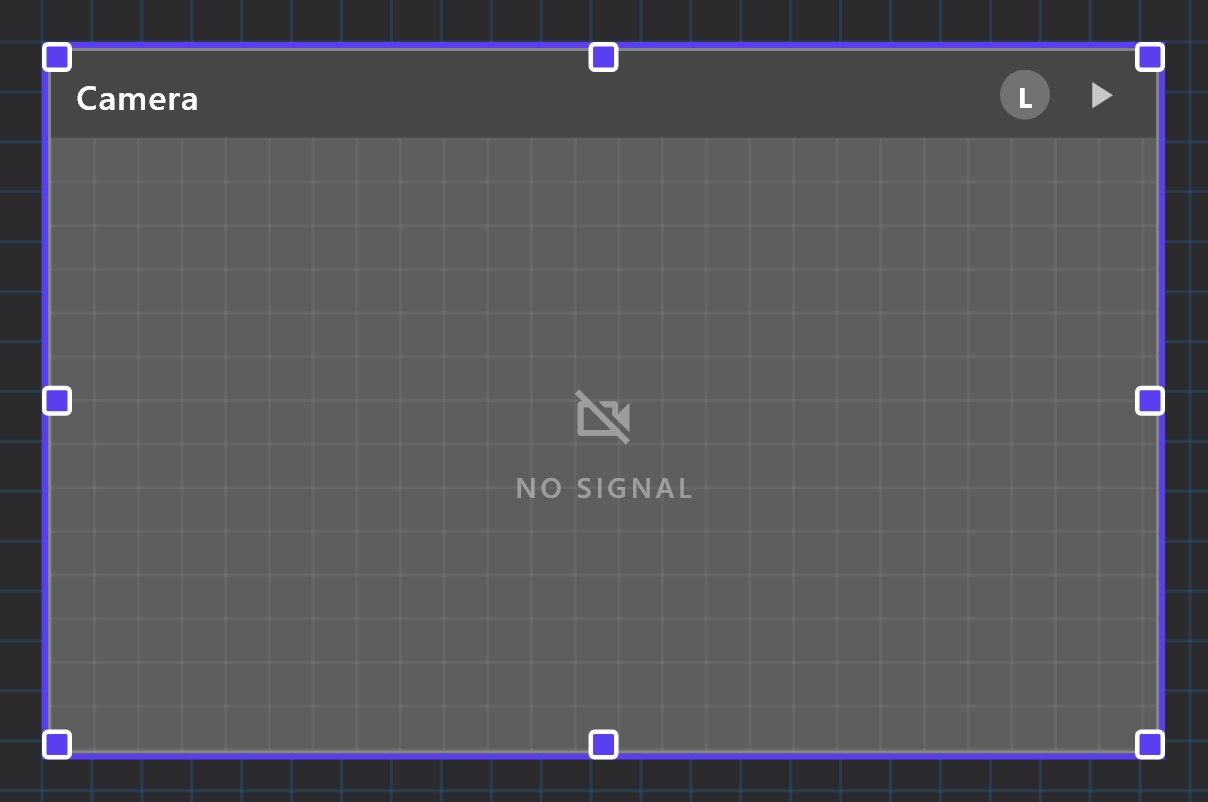
A live video tile fed from an IP camera's RTSP stream through the gateway, for the local network and, with the right settings, for remote and cloud viewing.
The Camera object shows the live picture of an IP camera on a page. The camera is never contacted by the apps directly: the gateway pulls the RTSP stream from the camera and relays it to the apps.
#When to use it
Use it for door, gate, garden or room cameras that offer an RTSP stream. The same object also supplies the picture for missed-call snapshots when an Intercom object points at it.
#What you need first
- A camera on the same network as the gateway, with RTSP enabled and its IP address, RTSP port, user name and password known.
- The video stream must be H.264 (see below).
- For viewing away from the building: a Cloud Connection Policy other than Local (see Server > Gateway), and for the direct remote option the router forwards described below.
#Properties
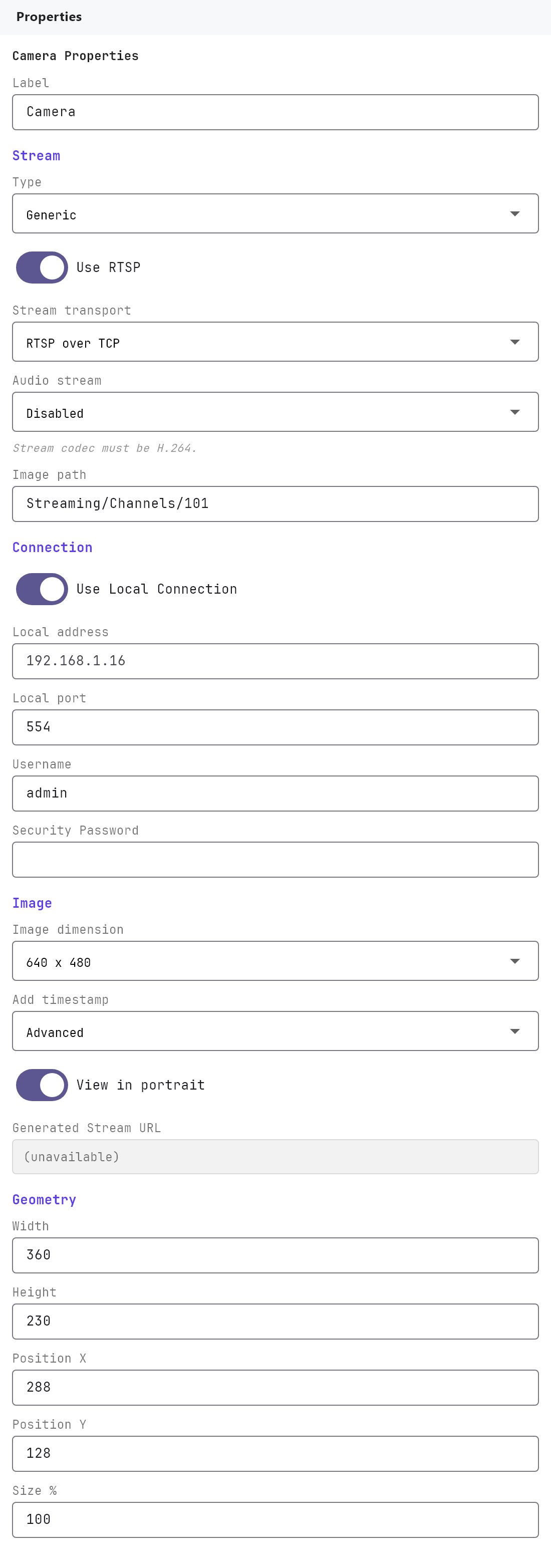
The Label, Text Style and Access Control groups, and the Width, Height, Position X, Position Y and Size % fields, work as described in Common properties. The new Camera object is 360 by 230. It has no Show Label setting and no On/Off image, because the tile draws the live picture. Rotation, Mirror, Image Fitting and Image Display also appear, but they have no visible effect on the live tile.
#Camera
| Property | What it does |
|---|---|
| Type | Generic Camera (default), Dahua Camera, Hikvision Camera or Reolink Camera. Changing the type fills Image path with that brand's usual stream path (listed below). It does not change anything else. |
| Use RTSP | On by default. When off, the Generated RTSP URL stays empty and the gateway does not set up a stream for this camera. Leave it on. |
| Stream options | rtsp-tcp (default) or rtsp-udp. The transport the gateway uses to pull the stream from the camera. Use rtsp-tcp unless the camera only works over UDP. |
| Audio stream | Disabled (default) or Enabled. Only used for the cloud relay: when Enabled, the gateway includes the camera's audio (converted to AAC) in the stream it sends to the cloud; when Disabled, it sends video only. Local viewing is not controlled by this setting. |
| Image path | The part of the RTSP address after the port. Defaults to Streaming/Channels/101. A leading / is ignored. |
| Local address | The camera's IP address or host name, as the gateway reaches it. Empty by default (the field suggests 192.168.1.16). While it is empty there is no stream. |
| Local port | The RTSP port, 1 to 65535. Defaults to 554. If you clear it, the port is left out of the address and the gateway connects to 554. |
| Username | Camera login. Defaults to admin. Special characters are encoded automatically. |
| Security Password | Camera password. Empty by default, stored in the project and sent to the gateway on deploy. |
| Image dimension | 640 x 480 (default), 1280 x 720 or 1920 x 1080. Saved in the project but not used by the gateway or the apps in this version. |
| Add timestamp | Advanced (default) or Basic. Saved in the project but not used by the gateway or the apps in this version. |
| View in portrait | On by default. Saved in the project but not used by the gateway or the apps in this version. |
| Generated RTSP URL | Read-only preview of the address the gateway will use, in the form rtsp://user:****@address:port/path. The password is masked here. Empty when Use RTSP is off or no Local address is entered. |
Image path presets, filled in when you pick the Type:
| Type | Image path |
|---|---|
| Generic Camera | Streaming/Channels/101 |
| Dahua Camera | cam/realmonitor?channel=1&subtype=0 |
| Hikvision Camera | Streaming/Channels/101 |
| Reolink Camera | Preview_01_sub (the substream) |
#How it behaves in the apps
On every deploy the gateway lists all Camera objects that have a Local address and gives each one a stream path named veltnova- followed by the object's id. It keeps that stream connected to the camera all the time, not only while someone is watching. This makes the picture appear faster, at the cost of a permanent connection to each camera.
The gateway's media service listens on these ports:
| Port | Used for |
|---|---|
| 8554 | RTSP relay (used by the Veltnova client on the local network) |
| 8888 | HLS |
| 8889 (TCP) | WebRTC (used for direct remote viewing) |
| 3127 | The gateway's own web server, which also provides a fallback MJPEG stream |
- Local network: plays the gateway's RTSP relay at
rtsp://<gateway address>:8554/veltnova-<id>. The camera's credentials stay on the gateway. Tapping the camera tile opens a full-screen view. - Cloud mode: the gateway starts relaying the camera to the cloud when the app opens it, and the app plays it from there. This is the H.264 case described above.
- Direct remote viewing (Cloud Connection Policy Local + Remote or Local + Remote + Cloud): the Configurator reminds you that the site's router must forward 8889/TCP and 8189/UDP to the gateway. Without both, remote viewers fall back to the cloud if it is enabled, and otherwise cannot see the camera away from the building.
#Example
A Hikvision camera on the driveway:
- Add a Camera object to the page and set Label to
Driveway. - Type:
Hikvision Camera. Image path becomesStreaming/Channels/101. - Use RTSP: on. Stream options:
rtsp-tcp. Audio stream:Disabled. - Local address:
192.168.1.16. Local port:554. - Username:
admin. Security Password: the camera's own password. - Check that Generated RTSP URL reads
rtsp://admin:****@192.168.1.16:554/Streaming/Channels/101. - Deploy. Open the page in the app; the picture should appear within a few seconds.
#Tips and common problems
- No picture and an empty Generated RTSP URL: enter the Local address, and make sure Use RTSP is on.
- Test the RTSP address in a media player on a PC on the same network before blaming the gateway. The Generated RTSP URL shows the password masked, so type the real password in the player.
- Picture works at home but not away: check the Cloud Connection Policy, and that the stream is H.264.
- Reolink cameras default to the sub-stream (
Preview_01_sub) because the full-resolution main stream can fail to play on phones and tablets. Change the path toPreview_01_mainonly if every viewing device can decode it. - Many cameras accept only a few simultaneous RTSP connections. The gateway keeps one permanent connection per camera, so avoid also pointing other recorders at the same stream if the camera is limited.
- The camera address must be reachable from the gateway, not from the phone.